
No products in the cart.
Original price was: €129.00.€99.00Current price is: €99.00. + VAT
Standard Web GPSR simplifies the management and display of manufacturer, EU responsible person, and product safety information.
Configure the data once at brand or category level, and the plugin automatically updates all affected products. When an exception is required, individual fields can be overridden directly on the product.
Standard Web GPSR is a WooCommerce plugin designed to help online stores manage product information associated with the General Product Safety Regulation.
Instead of entering the same details for every product, you can create GPSR profiles at brand or category level. The plugin automatically synchronizes the information with the relevant products, saving time and helping operators maintain consistent data.
The plugin allows you to manage:
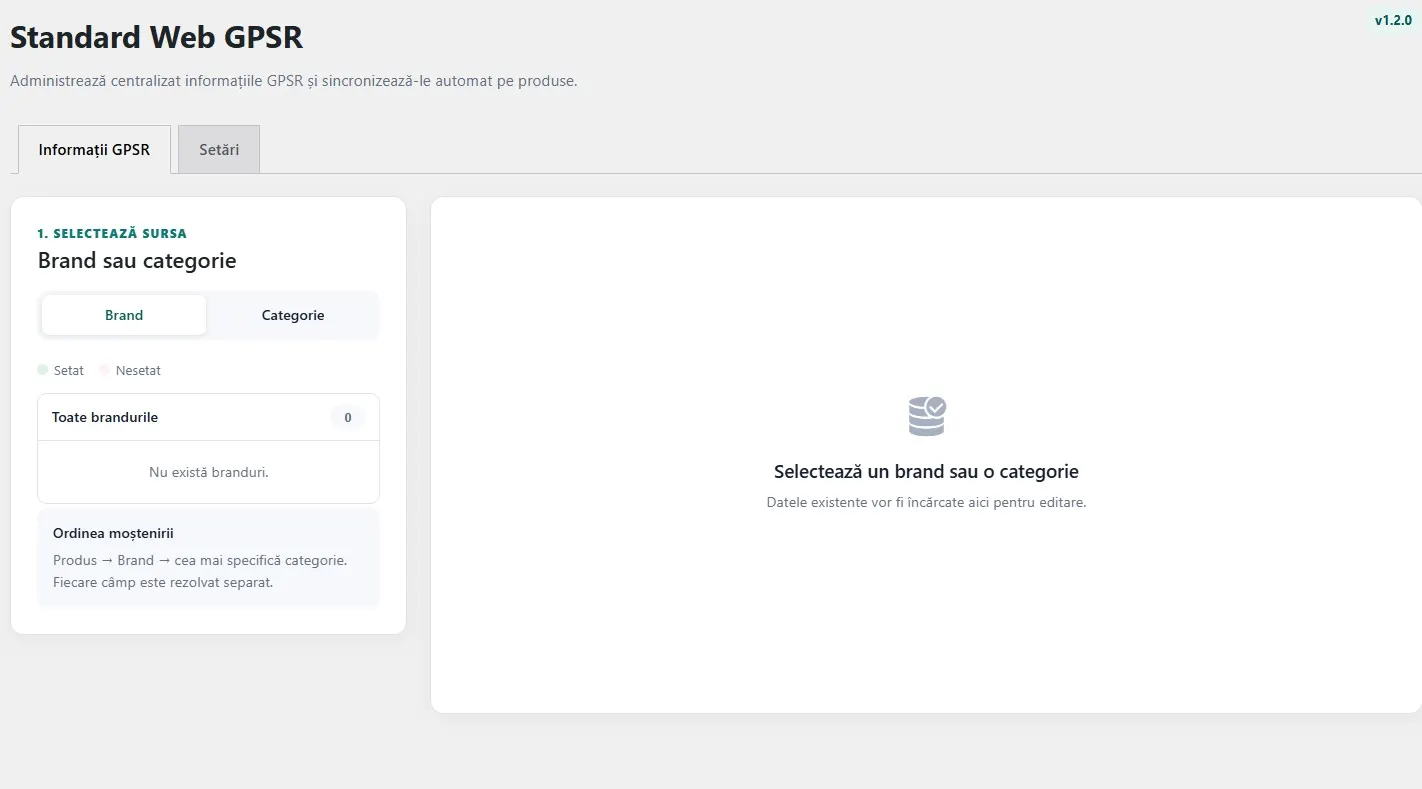
Select a brand from the available list and enter its GPSR information once. The data is then automatically applied to products assigned to that brand.
Brands with directly configured information are visually highlighted, allowing operators to quickly identify completed profiles and those that still require attention.
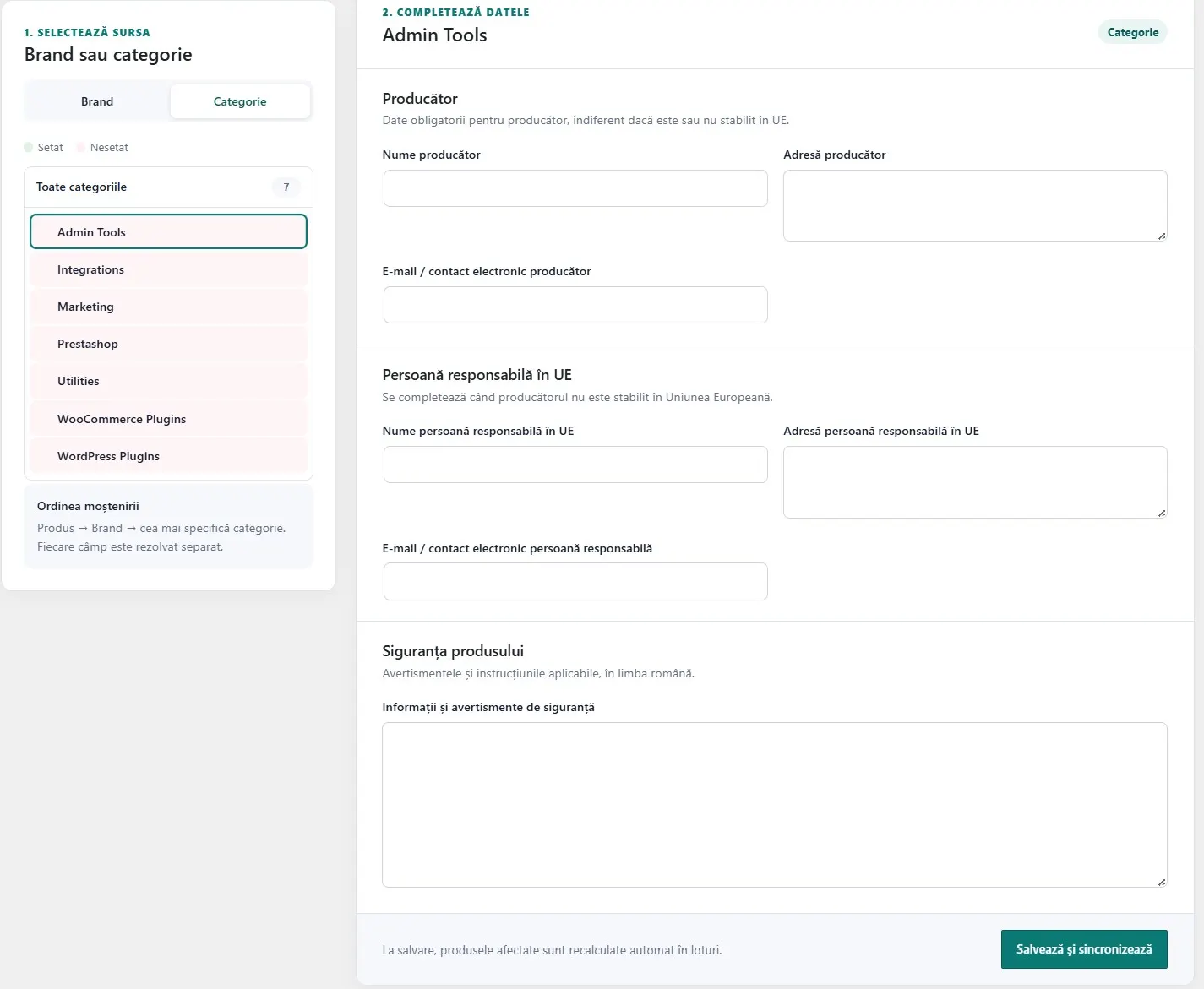
GPSR information can also be configured for product categories and subcategories.
Categories are displayed in a hierarchical structure, with controls for expanding and collapsing subcategories. A subcategory can inherit information from its parent category or use its own GPSR profile.
Do you have a product that requires different information?
Each GPSR field can be overridden individually from the WooCommerce product editor. Only the selected fields are replaced, while all other fields continue to receive synchronized values from the assigned brand or category.
When an override is removed, the product returns to the inherited value according to the plugin’s priority rules.
The source of each field is determined separately using the following priority order:
For example, the manufacturer name can come from the brand profile while the safety information comes from the product category.
After a brand or category profile is saved, affected products are automatically recalculated in optimized background batches.
There is no need to open and save every product manually. The plugin also recalculates GPSR information when a product’s brand or category assignment changes.
GPSR information can be displayed using the following shortcode:
To display the information for a specific product, use:
The plugin can also add an additional tab to the WooCommerce product page. The tab name is customizable, and the tab is displayed only when the option is enabled and the product has effective GPSR information.
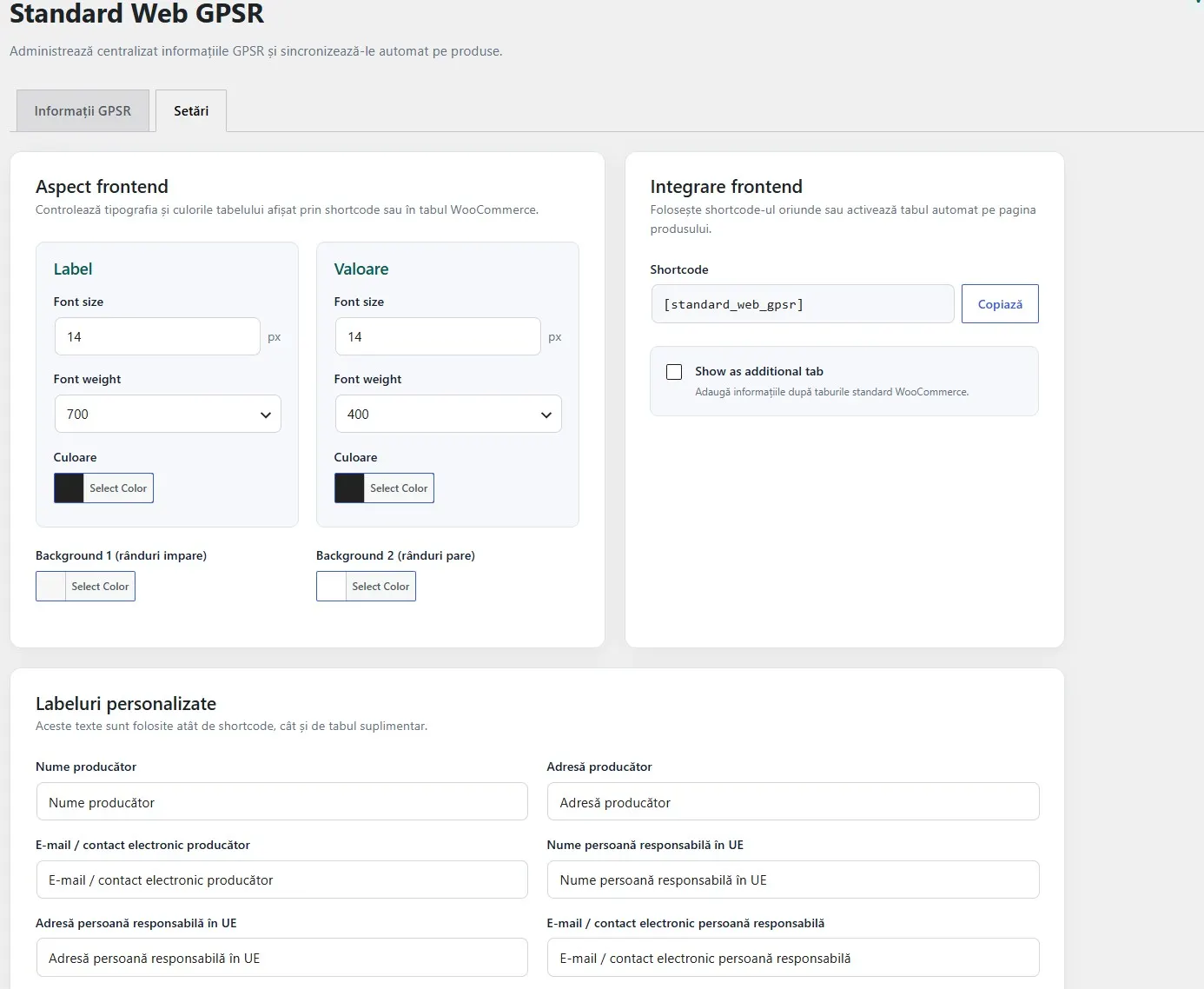
The settings page allows you to configure:
Colors can be entered in HEX format. Information is displayed in a clean, borderless table, with the label and value placed on the same row.
The administration page is available under Standard Web → GPSR. If the Standard Web menu already exists because another Standard Web plugin is installed, the existing menu is reused.
Brand and category lists are displayed directly, without requiring operators to search for each item. Visual status colors make it easy to identify which profiles contain directly configured information.
product_brand taxonomy for brand-level GPSR configuration.Standard Web GPSR helps store operators enter, organize, synchronize, and display GPSR information. It does not automatically provide this information and does not verify whether the entered data is accurate, complete, or legally compliant.
The store operator remains responsible for obtaining and providing the correct product information.

Reviews
There are no reviews yet.