
No products in the cart.
Original price was: €15.00.€9.99Current price is: €9.99. + VAT
Manage custom header, footer, and PHP snippets from the WordPress admin area. Includes WordPress’ bundled CodeMirror editor, snippet activation controls, PHP run locations, linting, and error handling.
Standard Web Custom Code is a lightweight WordPress code snippets plugin built for administrators and developers who need a controlled way to add custom code without editing theme files directly. It allows custom header snippets, footer snippets, and PHP snippets to be managed from a dedicated admin screen.
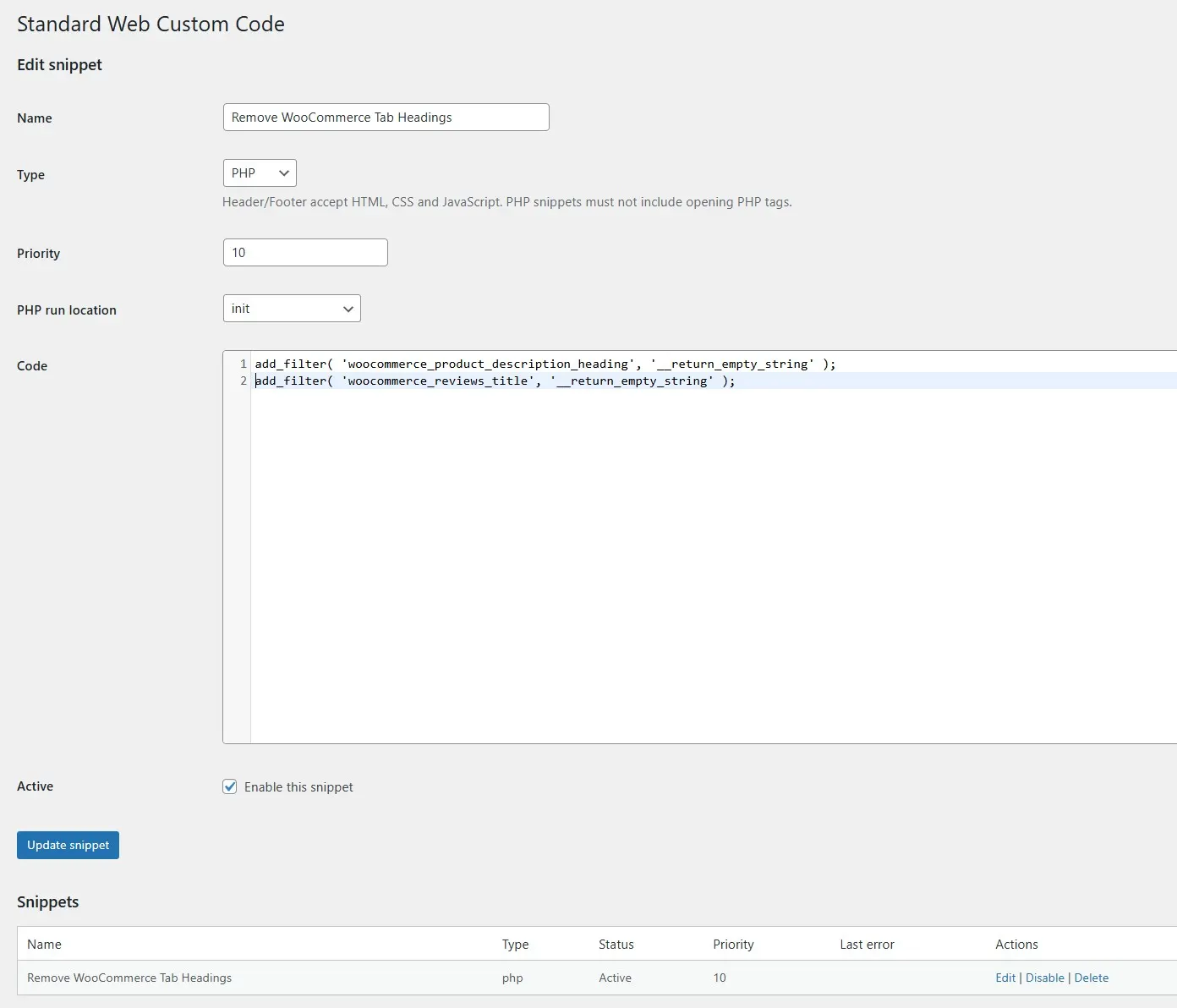
The plugin adds a “Custom Code” page under the shared “Standard Web” admin menu. From this page, administrators can create snippets, edit existing snippets, enable or disable snippets, set execution priority, and delete snippets when they are no longer needed. Snippets are stored in a custom database table and listed in a simple admin table with name, type, status, priority, last error, and available actions.
Header and footer snippets are designed for raw HTML, CSS, and JavaScript. Active header snippets are output in wp_head, while active footer snippets are output in wp_footer. This makes the plugin useful for adding tracking scripts, verification tags, inline CSS, custom JavaScript, or small frontend code blocks without modifying theme templates.
PHP snippets are also supported. Administrators can choose where a PHP snippet should run: plugins_loaded, after_setup_theme, init, wp, or admin_init. PHP snippets must be entered without opening PHP tags. The plugin checks for PHP opening tags and can lint PHP code before activation when the server supports the required PHP binary functions.
To improve the editing experience, Standard Web Custom Code uses WordPress’ bundled CodeMirror editor. The code editor is loaded only on the plugin’s admin page, not globally across the WordPress admin area. It provides line numbers, bracket matching, tag or bracket auto-closing where applicable, and editor modes suitable for HTML and PHP snippets.
The plugin includes safety-focused controls. Access requires administrator capability by default, with an additional unfiltered_html requirement unless changed by filter. Active snippets are cached in a transient for performance. If a PHP snippet throws an error during execution, the plugin catches throwable errors and disables the problematic snippet while storing the last error message. A shutdown handler is also registered to catch fatal errors related to the currently running PHP snippet when possible.
A global emergency constant is available: defining STANDARD_WEB_CUSTOM_CODE_DISABLE_SNIPPETS can disable snippet execution. This is useful if a site needs to be recovered after problematic custom code.
Standard Web Custom Code is best suited for developers and advanced administrators who want a simple, focused snippet manager for header, footer, and PHP code, with a cleaner workflow than editing theme files or placing temporary code directly in functions.php.

Reviews
There are no reviews yet.